Agentes IA explicados para principiantes — guía práctica
Agentes IA explicados: herramientas, planificación, memoria y bucles. Aprende cuándo un agente ayuda — y cuándo basta un solo prompt.
¿Qué son los agentes IA?
A founder demoed an “autonomous AI agent” that booked flights, emailed investors, and updated the CRM — until it emailed the wrong investor a draft meant for internal eyes. The model was fine; the loop had no approvals, no logs, and too many tools. AI agents explained honestly start smaller than keynote slides.
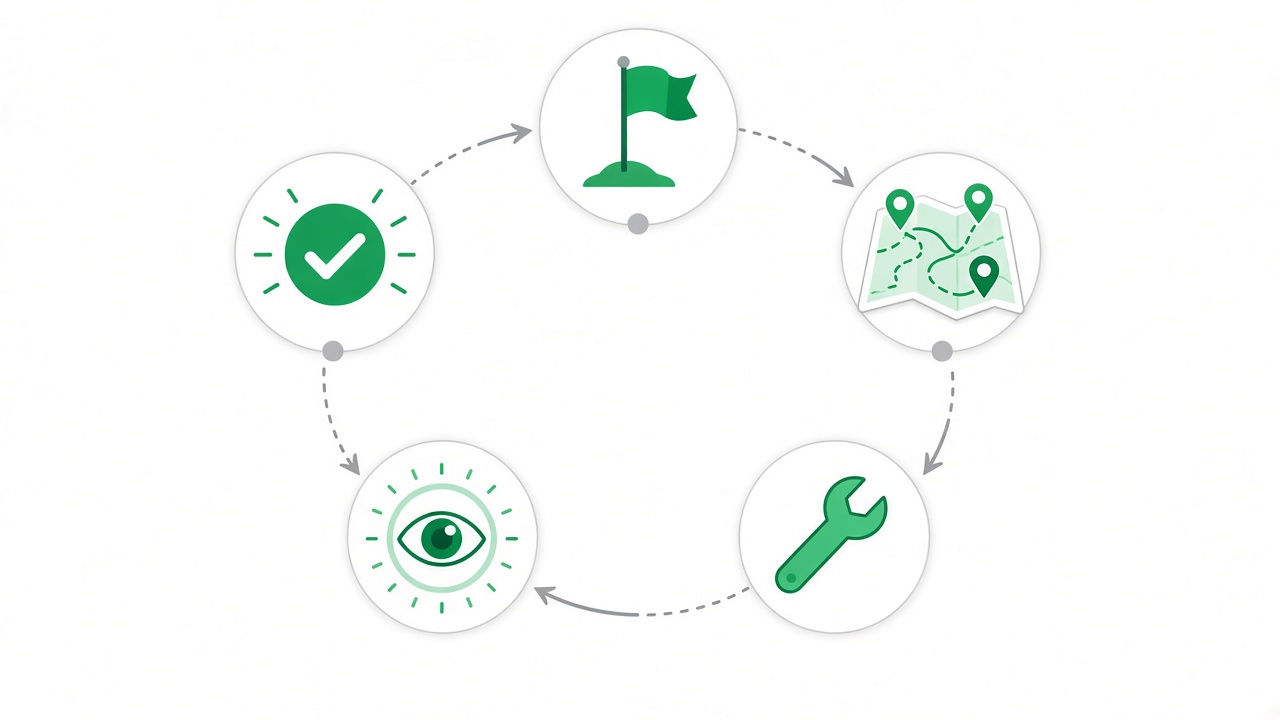
Un agente IA usa un modelo para planificar, llamar herramientas y repetir hasta el objetivo. A diferencia de una respuesta única de ChatGPT, puede buscar, escribir archivos o llamar APIs entre pasos.
Why agentes IA explicados Matters
El hype agente supera la comprensión. Guías claras posicionan en «agentes IA explicados».
The Story Behind agentes IA explicados
Agents versus single replies
A chatbot answers the latest message. An AI agent uses a model to plan steps, invoke tools, observe results, and loop until a goal is met or a guard stops the run. That loop is what enables research across URLs, file edits, or API calls between “thoughts.”
Hype conflates agents with magic autonomy. Practical agents are narrow: one domain, one tool at first, hard step caps, human approval before side effects. Most business value is reliable automation with logging — not an open-ended digital employee.
Before you build an agent, ask whether a single well-structured prompt plus retrieval already solves the task. Agents add complexity, cost, and failure modes. Use them when multi-step tool use is genuinely required.
Building blocks: tools, memory, guards
Tools are functions the model can call: search, calculator, database query, send draft email. Each tool needs a schema the model understands and code that enforces permissions.
Memory stores intermediate results — scratchpad notes, retrieved documents, prior tool outputs. Without memory, agents forget why they chose a step three calls ago.
Guards include max steps, tool allowlists, budget caps, and human-in-the-loop approvals before irreversible actions. Guards are not optional extras; they are the difference between demo and production.
- One narrow goal per agent version
- Start with a single tool
- Log every tool call with inputs and outputs
- Cap steps (e.g., five) until success rate is measured
Build a tiny agent workflow you can trust
Pick a goal small enough to finish in one sitting: summarize three URLs, triage ten support subjects, or compile a research brief from public pages. Give the model one search or fetch tool.
Require the model to cite which URL each claim came from. If a claim lacks a source, it must say “not found.” That discipline previews retrieval-augmented patterns without overbuilding infrastructure.
Add human approval before anything leaves your machine — sending email, posting comments, charging cards. Agents fail gracefully when humans review diffs.
Evaluation and beginner pitfalls
Measure task success rate on a fixed set of inputs, not vibes. Track cost per successful run, latency, and failure categories: wrong tool, wrong plan, tool error, model drift.
Common pitfalls: unlimited autonomy on production data, no logging, too many tools confusing planning, skipping plain prompts that already work.
Explore Sturdee AI skill paths and practice writing agent specs — goals, tools, guards — in AI Tutor. Light coding helps you read tool definitions even if you start with no-code builders.
Bloques de un agente
- Objetivo → plan → herramienta → observar → repetir
- Herramientas son funciones invocables por el modelo
- Memoria guarda resultados intermedios
- Guardas: max pasos, listas blancas, aprobación humana
- Evaluación: tasa de éxito, no sensaciones
Construir un mini flujo agente
- Elige objetivo estrecho (ej. resumir 3 URLs)
- Da una herramienta al modelo
- Limita a 5 pasos
- Registra cada llamada a herramienta
- Aprobación humana antes de efectos secundarios
Trampas de agentes para principiantes
- Autonomía ilimitada en datos de producción
- Sin logs ni replay
- Demasiadas herramientas → plan confuso
- Saltar prompt simple que ya bastaba
Aprender agentes en Sturdee
Explora rutas IA en Sturdee y practica objetivos agente con restricciones en AI Tutor.
Takeaways — What to Do Next
AI agents explained for beginners means loops with tools, memory, and guards — not sci-fi autonomy. Start with one tool, log everything, approve side effects, and measure success before you add complexity.
Agentes IA — FAQ
Frequently Asked Questions
¿Agentes IA = chatbots?+
No. Chatbots responden una vez. Agentes planifican y usan herramientas para metas multi-paso.
¿Hay que programar para usar agentes?+
Existen builders no-code, pero algo de código ayuda con herramientas, auth y evaluación.
Seguir aprendiendo de forma interactiva
/skills →